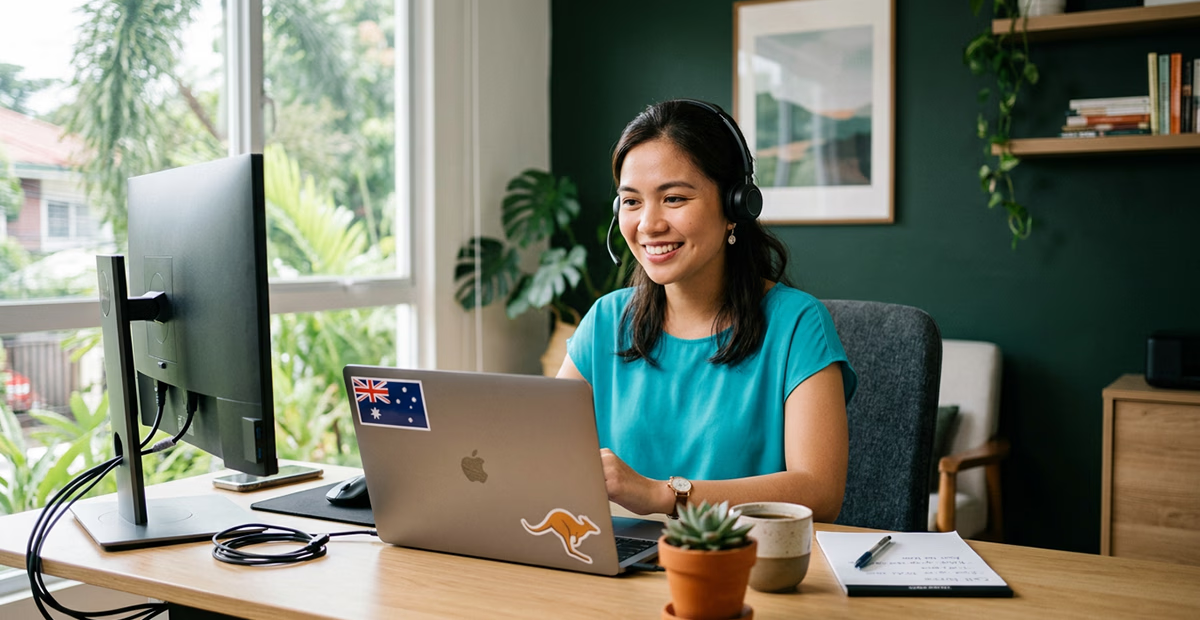
Hiring a virtual assistant in the Philippines? You’ve probably sorted the obvious questions quickly: hours, tasks, pay, time zones. But here’s the one that catches most Australian business owners off guard. How does your VA make and receive calls on behalf of your business? And what happens when a customer wants to send a text? Getting the right VoIP for a Philippines virtual assistant takes more planning than most people expect. When you get it wrong, your customers notice.
Why Australian Businesses Are Hiring Philippines-Based VAs
The Philippines is now one of the most popular sources of remote support talent for Australian businesses. The economics are hard to argue with. According to the Australian Bureau of Statistics, median hourly earnings in Australia reached $42.90 in August 2025. Add superannuation, leave entitlements, and payroll tax, and the fully loaded cost of a local employee climbs considerably higher.
A Philippines-based VA typically costs a fraction of that. The country has a 96% literacy rate and strong English communication skills across the workforce. The time zone sits only two to three hours behind Australia’s eastern states. That gap makes real-time collaboration genuinely practical. So it’s no surprise that Australian SMEs across professional services, health, trades, and real estate are bringing Philippines VAs into their teams. What most don’t plan for in advance is the communications infrastructure. And that’s where things get messy.
The Phone Problem Nobody Mentions at the Hiring Stage
Your VA represents your business. When they call a customer, the number displayed on that person’s phone must belong to your business. Not to an international mobile from the Philippines. When a customer calls your main number, your VA needs to answer it cleanly and transfer it if needed. When a customer texts your business, your VA needs to reply from the same number your team uses.
Handing your VA your personal mobile number doesn’t work. Asking them to call from a Filipino number is worse. It shows up as a foreign number on your customer’s phone and erodes trust before the conversation starts. Consumer calling apps don’t give you call recording, routing rules, voicemail management, or any audit trail your business needs.
The right answer is a cloud-based VoIP phone system. Your VA should be set up as a proper extension on your Australian business number. But there’s a second piece that trips up a lot of people, and it’s specifically Australian: the SMS question.
What VoIP for a Philippines Virtual Assistant Actually Gives You
VoIP stands for Voice over Internet Protocol. Instead of routing calls through a copper phone line, voice travels over an internet connection. Because the call is internet-based, location is irrelevant. Your VA connects to your Australian phone system through a softphone app. A softphone is software that runs on a laptop, desktop, or smartphone. It gives them full extension access on your Cloud PBX (Private Branch Exchange) from wherever they’re sitting.
An Australian Number, Working From Anywhere
Once your VA is on your Cloud PBX, outbound calls display your Australian business number. Inbound calls to your main number can route directly to their extension. Or you can add them to a hunt group with your local team, using time-based routing rules. To your customers, they’re simply speaking with someone from your business. The geography is invisible. SIPcity’s softphone runs on standard SIP (Session Initiation Protocol) credentials. Your VA installs the app on their device and they’re live. In most urban areas of the Philippines, a decent internet connection is all they need. You can find configuration details in SIPcity’s softphone setup guide.
Virtual Mobile Numbers and the SMS Question
Here’s the specifically Australian catch that many providers gloss over. Standard geographic phone numbers — your 02, 03, 07, and 08 numbers — cannot send or receive SMS. Only 04 mobile numbers support text messaging in Australia. That’s a regulatory fact about how our network is structured. It affects every business that wants to use SMS for customer communication.
SIPcity’s virtual mobile numbers solve this directly. These are genuine Australian 04 numbers that live on SIPcity’s VoIP network, not on a physical SIM card. Your VA gets a real Australian 04 number that customers can call or text. They access it entirely through the SIPcity app on their laptop or phone. No SIM, no physical device, no Australian carrier contract required. It works from Manila just as well as it works from Melbourne.
Shared SMS Inbox: Your VA and Your Team, on the Same Page
The virtual mobile number solves the SMS access problem. SIPcity’s Shared SMS Inbox solves the coordination problem that comes with it.
When a customer texts your 04 number, that message drops into a shared inbox. Every authorised team member can see it and reply. Your Philippines VA might handle the initial response and your Australian office manager might pick up the follow-up the next morning. Your customer sees the same sender number throughout. They have no idea how many people are monitoring the inbox, and no reason to care.
This matters more than it sounds. Without a shared inbox, SMS conversations get trapped on individual team members’ personal phones. Context disappears when staff change. No one can audit what was said to a customer last Tuesday. With the Shared SMS Inbox, everything is visible, searchable, and consistent. For a VA handling customer service, bookings, or sales follow-up, this feature makes the whole arrangement genuinely professional rather than just technically functional.
What to Look For in a VoIP Provider for Your VA Setup
Not all providers are built the same. When you’re connecting an offshore team member, a few things matter more than usual.
- Australian infrastructure. Your calls should route through infrastructure based in Australia. This keeps call quality consistent and ensures compliance with Australian telecommunications regulations. It also means your call data stays within Australian borders, not on overseas servers.
- Genuine softphone support. Your VA doesn’t have a desk phone. Your provider needs a softphone experience that works reliably on a laptop or smartphone, with straightforward setup using SIP credentials.
- 04 mobile numbers with SMS support. If your business uses SMS, confirm the provider offers genuine Australian 04 virtual mobile numbers. Not all VoIP providers offer them. Some that claim SMS capability rely on workarounds that don’t support two-way messaging properly.
- Business-grade features included by default. Call recording, voicemail-to-email, time-based routing, call queues, and IVR (Interactive Voice Response) menus should be standard inclusions. Your VA needs these tools to work properly. Your business needs them for oversight and compliance. SIPcity includes them across its Cloud PBX feature set without charging extra for each one.
- Pricing that scales cleanly. Adding a VA extension or a virtual mobile number should take five minutes. It shouldn’t require a call to a sales team or a new contract.
Security When Your Communications Cross Borders
When your VA handles calls and messages from the Philippines, data is produced: call logs, recordings, message histories, and customer details. The Australian Cyber Security Centre’s guidance on remote workers applies equally to offshore VAs. You can review their recommendations at cyber.gov.au.
In practical terms, choose a provider that gives you access controls, role-based permissions, and a quick way to disable a user when a contractor relationship ends. Ask specifically where call recordings and message data are stored. Providers hosting their infrastructure in Australia can give you a clear answer. Those routing traffic through overseas cloud platforms often can’t.
Getting It Set Up: Simpler Than You Think
Once you’ve chosen the right provider, the setup is genuinely straightforward. With SIPcity, the process runs like this. Create your account and provision a geographic number, or port your existing one across. Add a virtual mobile 04 number for SMS. Configure your call routing rules in the Cloud PBX. Then send your VA their softphone credentials. They’re live on your Australian phone system within the hour.
From that point, they can answer inbound calls to your main number and make outbound calls showing your Australian caller ID. They send and receive SMS from your shared 04 number. And they check voicemail by email and transfer calls to your Australian colleagues. All of this happens from a laptop in the Philippines, on the same platform your local team uses. Because everything is cloud-based, you manage it through a browser. That means no engineers, no hardware, no truck roll required.
Ready to Connect Your VA to Your Australian Phone System?
At SIPcity, we work with Australian businesses of all sizes running distributed teams, including those with Philippines-based VAs. We’re B2B-only, Australian-owned, and our infrastructure is based here in Australia. If you’d like help working out the right setup for your business, we’re happy to walk through it with you. Get in touch with the SIPcity team and we’ll make sure your VA is properly connected from day one.
Related reading