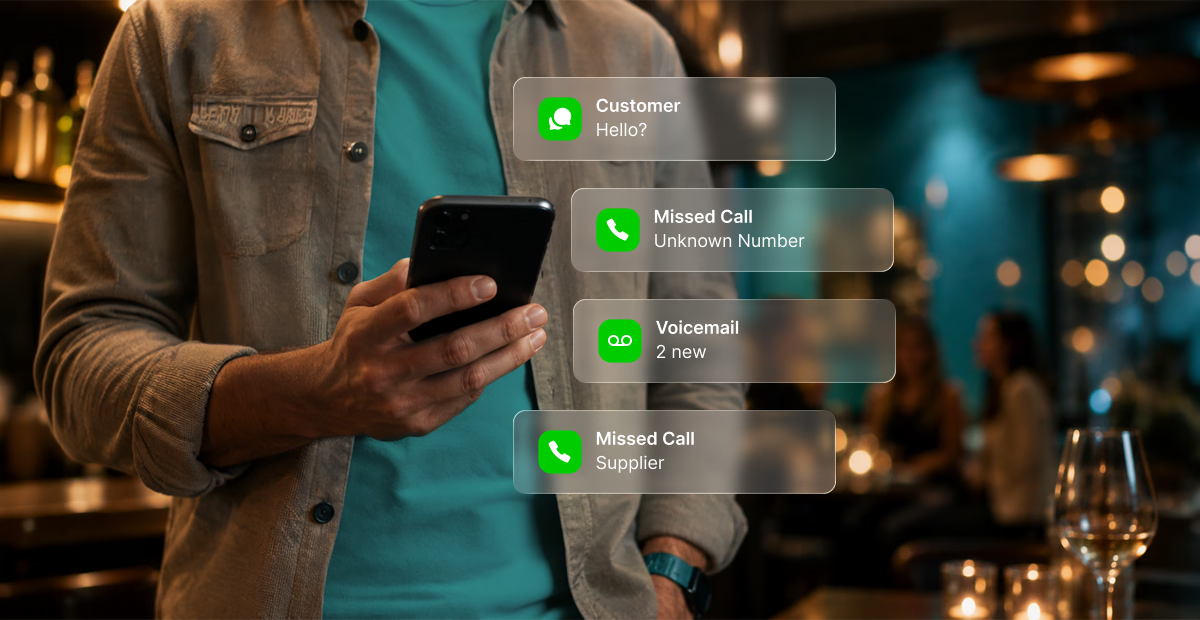
We get asked this question almost every day: which plan is best so I can forward calls to my mobile? It sounds practical. And if you’re asking whether you can use your personal phone for business, the honest answer is: yes, you can. That is exactly the problem.
The forwarding idea feels smart. Your business number rings through to your existing device. No new hardware. No new habits. Customers reach you, you answer. Done.
Except for one thing. The moment you call that customer back, you pick up your phone and dial out. And the number that appears on their screen is your personal mobile. Not your business number. Your personal number.
They see it. They save it. From that moment forward, every follow-up call, every urgent request, every new enquiry goes directly to your personal phone, bypassing your business system entirely. The workaround just made the problem permanent.
The Call Forwarding Trap
The call-forwarding question almost always comes from founders genuinely trying to solve the right problem. They know their personal number isn’t ideal. They just don’t realise that forwarding is a temporary patch over a structural gap, not a fix for it.
Here’s the gap: a personal mobile is designed for one person. It receives calls for one number. It dials out from one number. It stores one voicemail greeting. It has no mechanism for routing a call to someone else on your team, for holding a second caller while you’re on the first, or for presenting your business number when you dial out. These aren’t missing features. They’re outside the design brief of a consumer device.
A business phone system holds the number at the platform level. Calls come in to the business. The platform routes them. Your team answers from any device, and when they dial out, the caller sees
the business number. Not a personal mobile. The business.
What happens when you call the customer back
The real damage isn’t one misdirected callback. It’s what happens when the workaround becomes standard practice across your team. Everyone forwards to their personal mobile. Everyone calls customers back from their personal number. Your business system sits in the middle of none of it, recording nothing, routing nothing, building no picture of what’s actually happening with your inbound calls.
You have no visibility across the team. No shared call log. No way to know how many calls went unanswered yesterday, or which customer has called three times this week without reaching anyone. The workaround didn’t just fail once. It made the failure invisible.
Can I Use My Personal Phone for Business? Ask a Better Question
The more useful question is: what do you need your phone system to do as your business grows?
Because the answer changes quickly. On day one, one person handles everything and a mobile is genuinely sufficient. By the time you have two or three people sharing the call load, the mobile model breaks. There’s no way to ring multiple team members at once. No way to queue a caller while the line is busy. No way to route after-hours calls to a message that tells people you’re closed, rather than ringing out to voicemail and leaving them guessing whether you’re ignoring them.
According to Square’s Gen Z Entrepreneur Report, 80% of Gen Z entrepreneurs globally started their businesses online or with a mobile component. That makes complete sense. Mobile is fast, accessible, and free to start with. But it has a structural ceiling, and most founders hit it earlier than they expect.
The number that belongs to your business, not to you
If your business number is your personal mobile, it belongs to you. Not your business. When a staff member who handles calls leaves, their number leaves too. When you eventually need to separate your personal and professional life, the number your website, your Google profile, and your marketing all point to is tied to your personal mobile plan.
A business phone system gives the company a number that exists independently of any individual. The Australian Communications and Media Authority (ACMA) governs how phone numbers transfer between providers in Australia. A number held within a cloud phone system can move with your business if you ever need to change providers. A personal mobile number doesn’t offer that same flexibility, and building your business identity around one creates a risk that only becomes obvious at the worst possible moment.
What a Business Phone System Actually Does
A cloud-based business phone system does several things a personal mobile structurally cannot, and none of them require new hardware.
It can hold callers in a queue when your line is busy, rather than sending them to voicemail. It routes calls across your whole team simultaneously, so the first available person picks up, or even at certain times of day. It presents your business number on every outbound call, regardless of which device your team member is using. It records calls for training and compliance and transcribes these to text with summaries and context. It generates a call log across your entire team, not just one handset, so you can see missed calls, call volumes, and patterns that would otherwise be invisible.
After-hours routing means a caller at 6pm on a Friday hears a professional message, not an ambiguous ring-out. Shared SMS, which SIPcity calls Shared Mobile Inbox, lets your whole team see and respond to text messages from one business number, so customer conversations don’t live in a single person’s personal inbox and disappear the day they resign.
According to the Australian Bureau of Statistics, around 67,000 medium-sized Australian businesses employ between 20 and 199 people. Every single one started smaller. The ones that scaled built the right infrastructure before the growth arrived, not in a scramble after it did.
So, to return to the original question: can you use your personal phone for business? Of course you can. But the moment you call a customer back, or a second caller rings while you’re on the first, or a staff member leaves with your business number saved in their handset, you’ll feel exactly where the personal mobile stops and the business phone system should have started.
Making the Switch Is Simpler Than You Think
Let’s break this down:
- A cloud phone system runs over your existing internet connection.
- You don’t need to change internet provider.
- You don’t need on-site hardware.
- You don’t need a technical implementation engineer.
Most Australian businesses running on SIPcity’s platform are up and running faster than they expected.
If you’re currently on a personal mobile and worried about losing your existing number, the number porting process is straightforward. SIPcity’s specialist porting team manages the transfer end to end, including the cases where a number is bundled with an internet service and needs to be separated first. You can read more about how number porting works at sipcity.com.au/number-porting, or explore the full feature set at sipcity.com.au/features.
If you’d rather just talk it through first, we’re easy to reach at sipcity.com.au/contact-us or jump into a chat right here in our website. No lock-in contracts. No offshore call centres. And no, we won’t recommend a plan just so you can forward calls to your mobile. You know where we are.