



AI Voice Agent
Never miss another call.
Learn more


AI Voice Agent
Never miss another call.
Simultaneous Ring lets you ring up to ten numbers at once on your main number. For example, combine it with Time Schedules to direct calls to a weekend or holiday schedule.
For more complex call flows, also review Forwarding, Call Queuing, or Auto Attendant.
Select Switchboard > Inbound.
Select Simultaneous Ring.
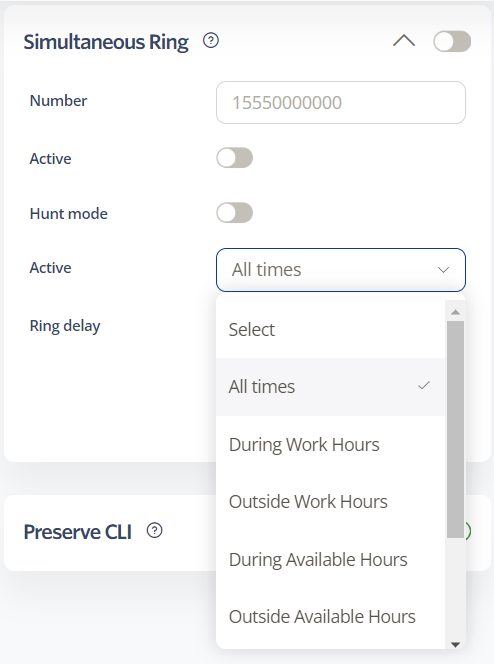
Number: The number that will ring simultaneously with your main line.
Active: Choose a schedule for when this rule applies. Options include All Times, During Work Hours, Outside Work Hours, During Available Hours, Outside Available Hours, During User-Defined Hours, and Outside User-Defined Hours. See Time Schedules for more details.
Hunt Mode: Enable to ignore Caller Busy, Voicemail, and Call Forwarding.
Ring Delay: Number of seconds before the simultaneous ring begins. Set to 0 to ring immediately.
Click Save to update settings.
Note: The ringing duration is determined by your Voicemail Service settings, even if voicemail is disabled.
To increase the ringing duration:
Select Switchboard > your number > Inbound.
Select Voicemail Service.
Adjust the voicemail answer timeout.
Toggle the voicemail service off if not needed.
Click Save.








