



AI Voice Agent
Never miss another call.
Learn more


AI Voice Agent
Never miss another call.
Hunt Group allows you to distribute calls from a single phone number to a group of up to 10 lines. Calls ring according to the order you set up. When Hunt Group is enabled, voicemail is disabled and calls always ring to the hunt group numbers in order.
Hunt Group is also enabled by default on Simultaneous Ring.
Go to Switchboard > select your number.
Go to Inbound > Hunt Group.
Click Save to update your settings.
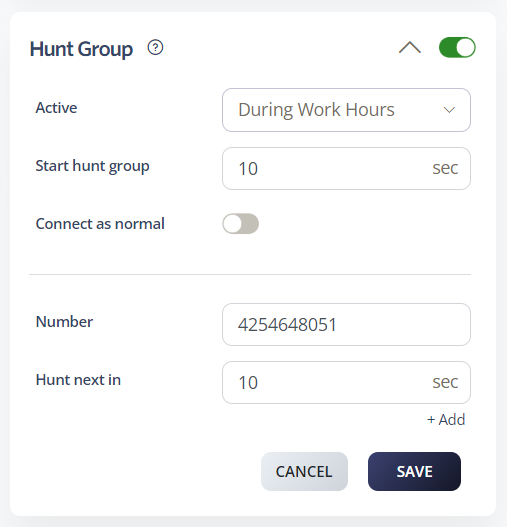
Each number in the hunt group can have its own timeout value before the call moves to the next number. The default timeout is 10 seconds.
To add a number to the hunt group:
Under Number, select the phone number you want to add to the group.
Under Hunt next in, enter the number of seconds before the call moves to the next number.
To add another number, click +Add.
Note: Numbers are called in sequential order. Set up your hunt group numbers in priority order so the most important lines ring first.








