AI Voice Agent
Never miss another call.
Learn more


AI Voice Agent
Never miss another call.
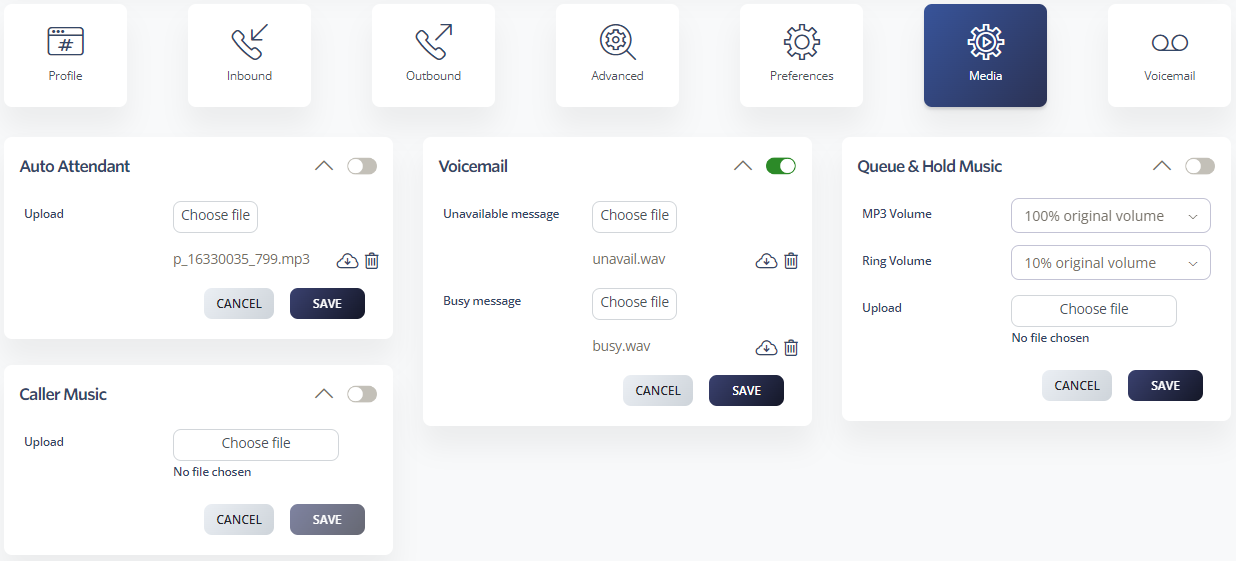
Upload pre-recorded media files to use with your Cloud PBX features, or record messages directly within each feature.
MP3 is the only supported format. MP3 offers clear sound quality and small file size for quick loading.
If your audio is in another format (.WAV, .M4A, .AIF, etc.), convert it to MP3 first using a free audio converter.
Maximum size: 1.5 MB
If your greeting doesn’t play, cuts off, or hangs up during playback, the file is likely too large.
Use these settings when converting to MP3 to ensure good quality while staying under 1.5 MB:
Go to Switchboard > Media.
Select your number.
Choose the feature to which you want to add media.
Select your media file.
Click Save.