



AI Voice Agent
Never miss another call.
Learn more


AI Voice Agent
Never miss another call.
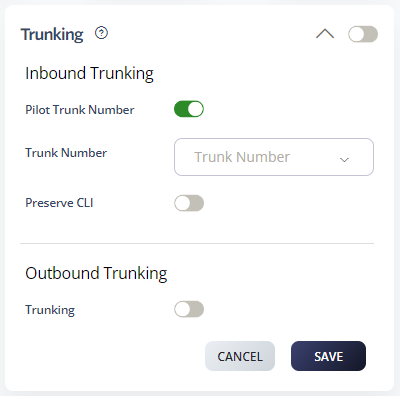
Trunking is a registration feature that allows PBX administrators to present the Caller ID (CLI) of different numbers via a single registered Trunking number. It’s useful for on-premises IP-PBXs that don’t support SIP Peering and require registration credentials instead.
Select Switchboard > your number.
Select Preferences > Trunking.
Set your Inbound Trunking Pilot Number.
Click Save.
Inbound Trunking: Routes all numbers to a single registered number. Useful for on-premises PBXs that don’t support static IP peering.
Outbound Trunking: Allows you to present different Caller IDs on your account through a single Trunking number, avoiding the need to register each number individually.
Display name: Softphones and IP phones display the name part of the SIP URI.
P-Asserted-Identity: Use the P-Asserted-Identity header (RFC 3325) to define Caller ID as an alternative to the display name field (requires system support for RFC 3325).
Groups: All From numbers must belong to the same group as the Outbound Trunking number.








