AI Voice Agent
Never miss another call.
Learn more


AI Voice Agent
Never miss another call.
Add an authorisation PIN code to your number to prevent unauthorised outbound calls to expensive or overseas destinations. Only those who know the PIN code can make such calls. The PIN must be entered before the call is placed.
Go to Switchboard and select the number requiring a PIN code.
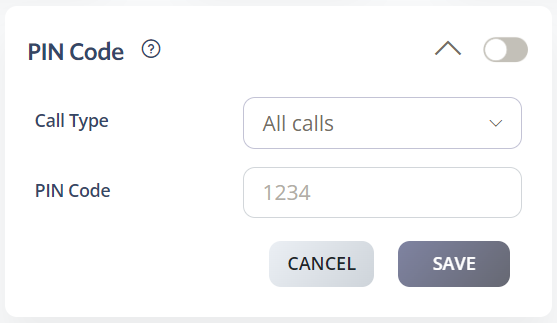
Select Outbound > PIN Code.
Choose the Call Type that requires the PIN code:
All calls
Toll-free only
International calls only
Expensive international calls only
Enter a four-digit PIN Code.
Click Save.