AI Voice Agent
Never miss another call.
Learn more


AI Voice Agent
Never miss another call.
MicroSIP is an open-source SIP softphone for Windows that allows high-quality VoIP calls over open SIP protocol.
Download and install MicroSIP on your PC.
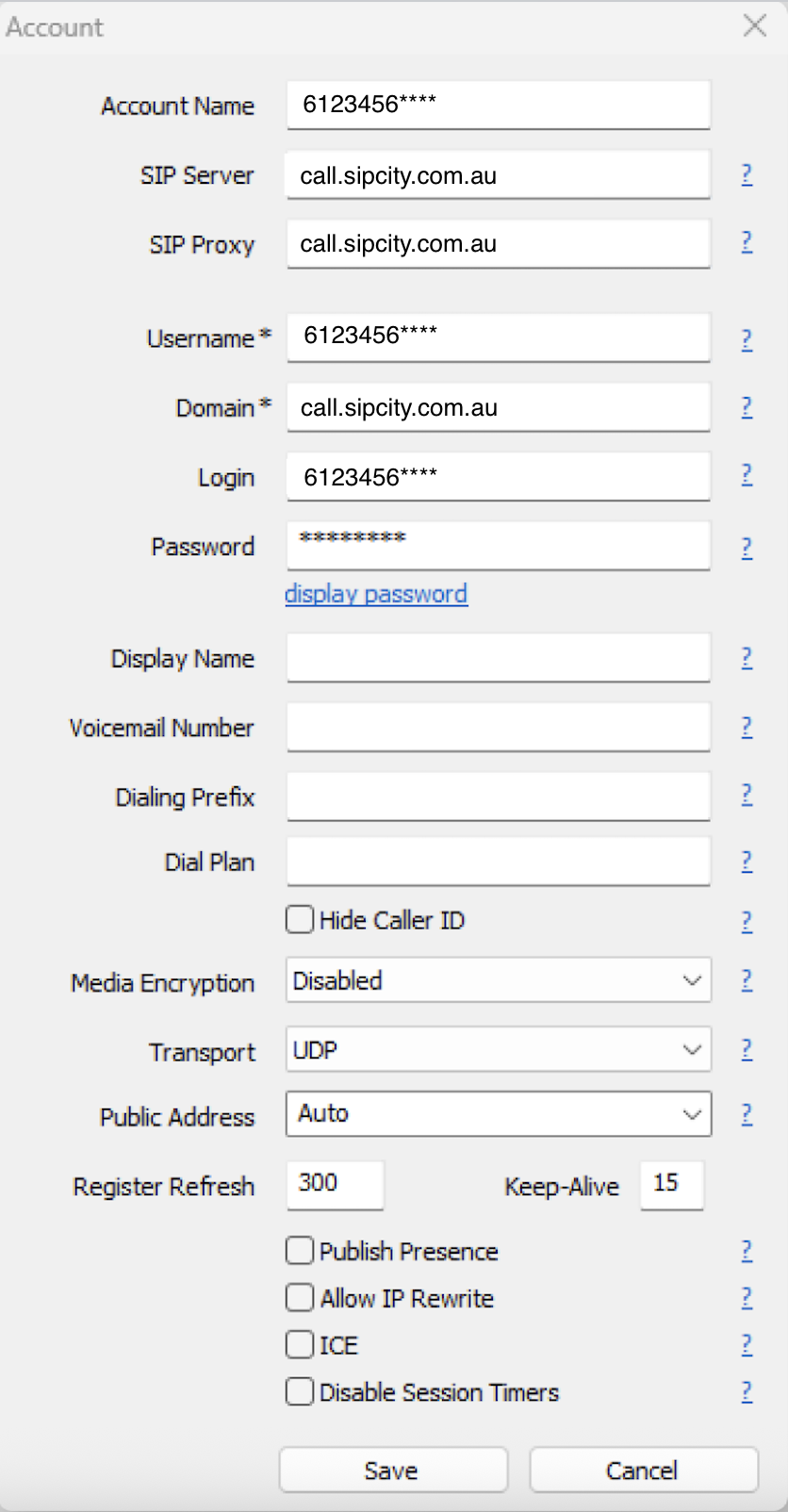
Open MicroSIP and click the dropdown arrow in the bottom-right corner.
Select Add Account.
Enter the following details:
Username: Your phone number
Domain: call.sipcity.com.au
Password: Your account password
To find or set your account password, log in to your SIPcity account at go.sipcity.com.au and follow these steps:
Go to Switchboard and select your number.
Click Number Settings.
Toggle Restricted to ON.
Create your password. This is the password you use for MicroSIP registration.