AI Voice Agent
Never miss another call.
Learn more


AI Voice Agent
Never miss another call.
To log in to the MySIPcity mobile app, you’ll need your SIPcity phone number and app password. Get these credentials from your SIPcity Web App account.
Log in to your SIPcity Web App account.
Go to Switchboard and select your number.
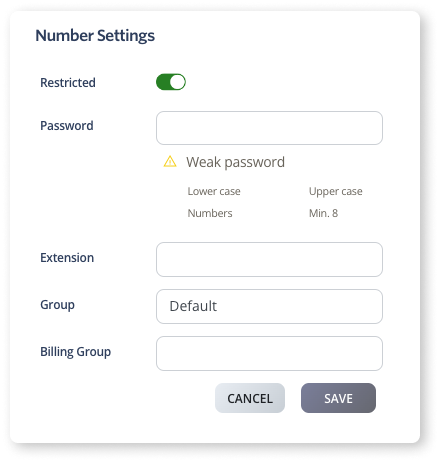
Under Profile, go to Number Settings.
Toggle Restricted to ON.
Enter and confirm your password.
Click Save.
Open MySIPcity on your phone.
Enter your SIPcity phone number.
Enter your app password.
Tap Log in.