To log in to the MySIPcity mobile app, you’ll need your SIPcity phone number and app password. Get these credentials from your SIPcity Web App account.
Set up an app password
-
Log in to your SIPcity Web App account.
-
Go to Switchboard and select your number.
-
Under Profile, go to Number Settings.
-
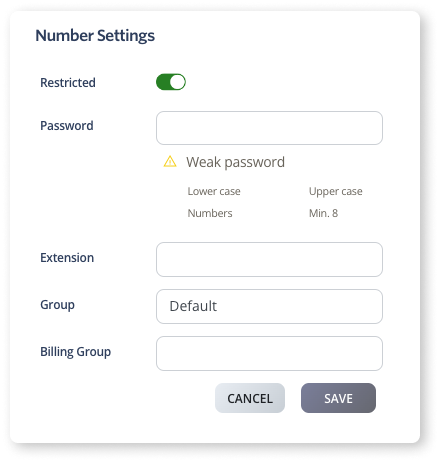
Toggle Restricted to ON.
-
Enter and confirm your password.
-
Click Save.
Log in to the mobile app
-
Open MySIPcity on your phone.
-
Enter your SIPcity phone number.
-
Enter your app password.
-
Tap Log in.