



AI Voice Agent
Never miss another call.
Learn more


AI Voice Agent
Never miss another call.
The SIPcity App allows you to host or join video conference meetings. This guide covers both options.
Hosting a video conference lets you start a meeting and invite people to join you.
Tap the Video Conference button on the keypad page.
Tap Start new meeting.
Tap Invite others.
Send the meeting link to the people you want to join your conference.
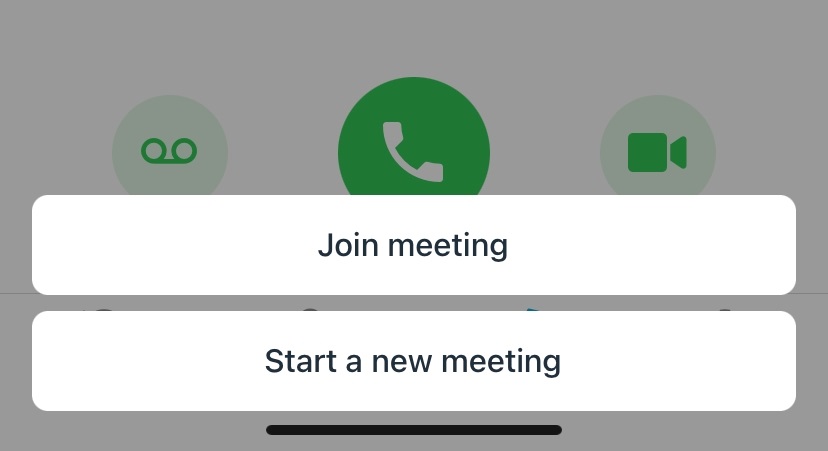
Joining a video conference means you’ve received an invitation with a link from the meeting organiser.
Tap the Video Conference button on the keypad page.
Tap Join meeting.
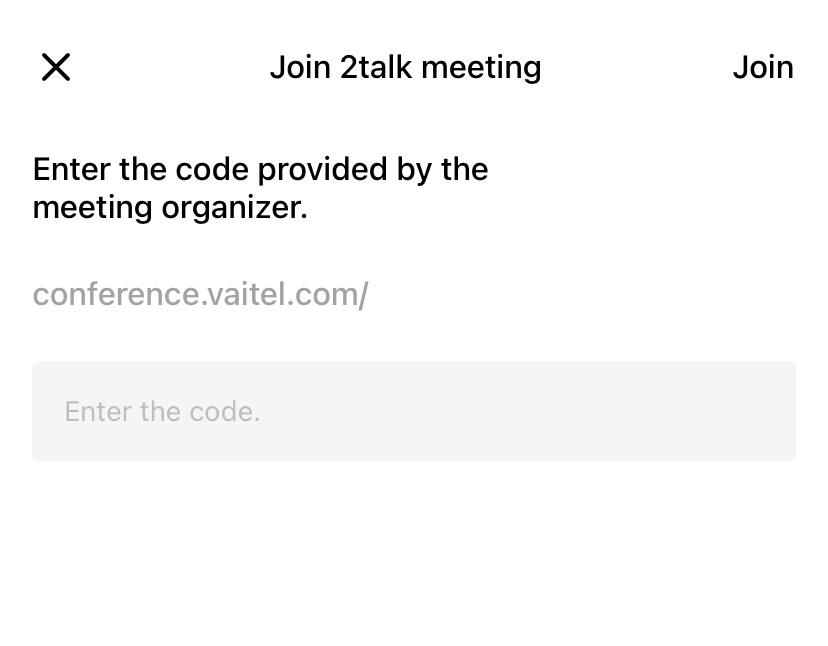
Paste the meeting link you received into the Enter code field.
Tap Join.
Note: Video conference records are stored on the History page.








