Manual setup for Grandstream devices
SIPcity supports Grandstream ATA 80x adapters and Grandstream GRP handsets via our device provisioning service. If you need to manually configure your device, follow these steps.
Finding your device IP address
-
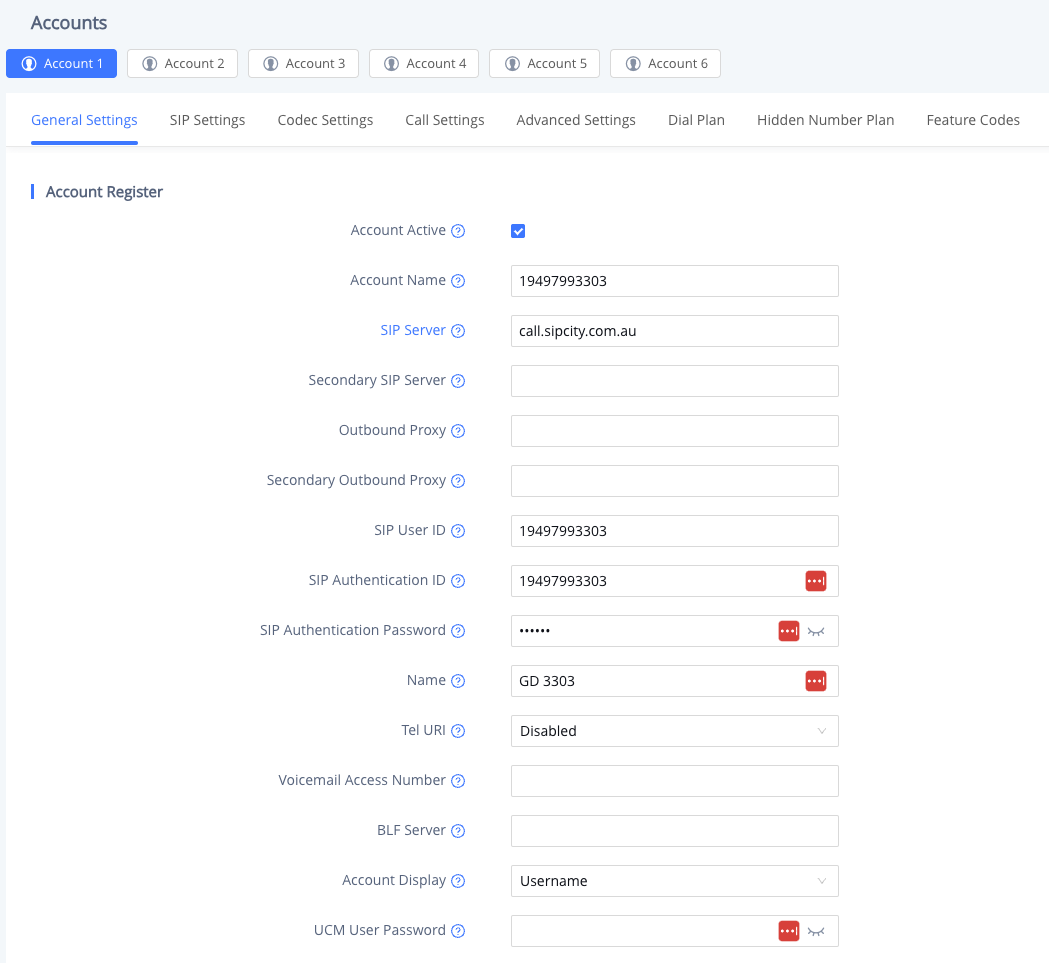
Press the Settings button on your Grandstream device.
-
Navigate to Status > Network Status > Ethernet.
-
Note the IPv4 Address shown on the display.
Accessing the web admin interface
Open your web browser and type http://<address> (replace with your device’s IP address) to access the web admin mode.
General settings
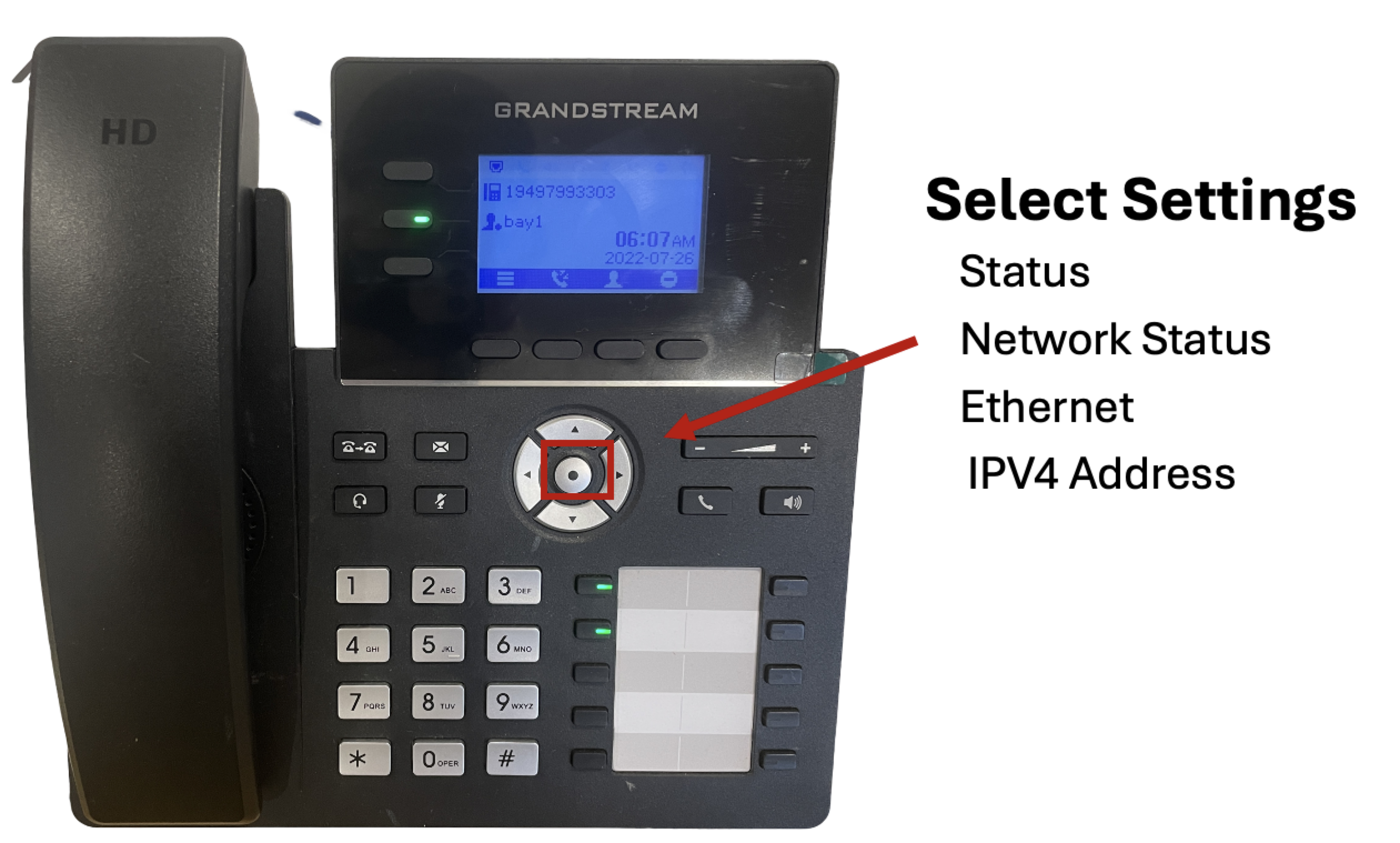
Configure the following settings in the General Settings section:
-
Activate Account: Enable
-
Account Name: Enter the main phone owner’s name (for example, Sally)
-
SIP User ID: Your phone number
-
SIP Auth ID: Your phone number
-
SIP Server: call.sipcity.com.au
SIP settings
In the SIP Settings tab, configure the following:
-
SIP Registration: Enable
-
Subscribe Exp: 60
-
SIP Transport: TLS
-
Local SIP Port: 5061