AI Voice Agent
Never miss another call.
Learn more


AI Voice Agent
Never miss another call.
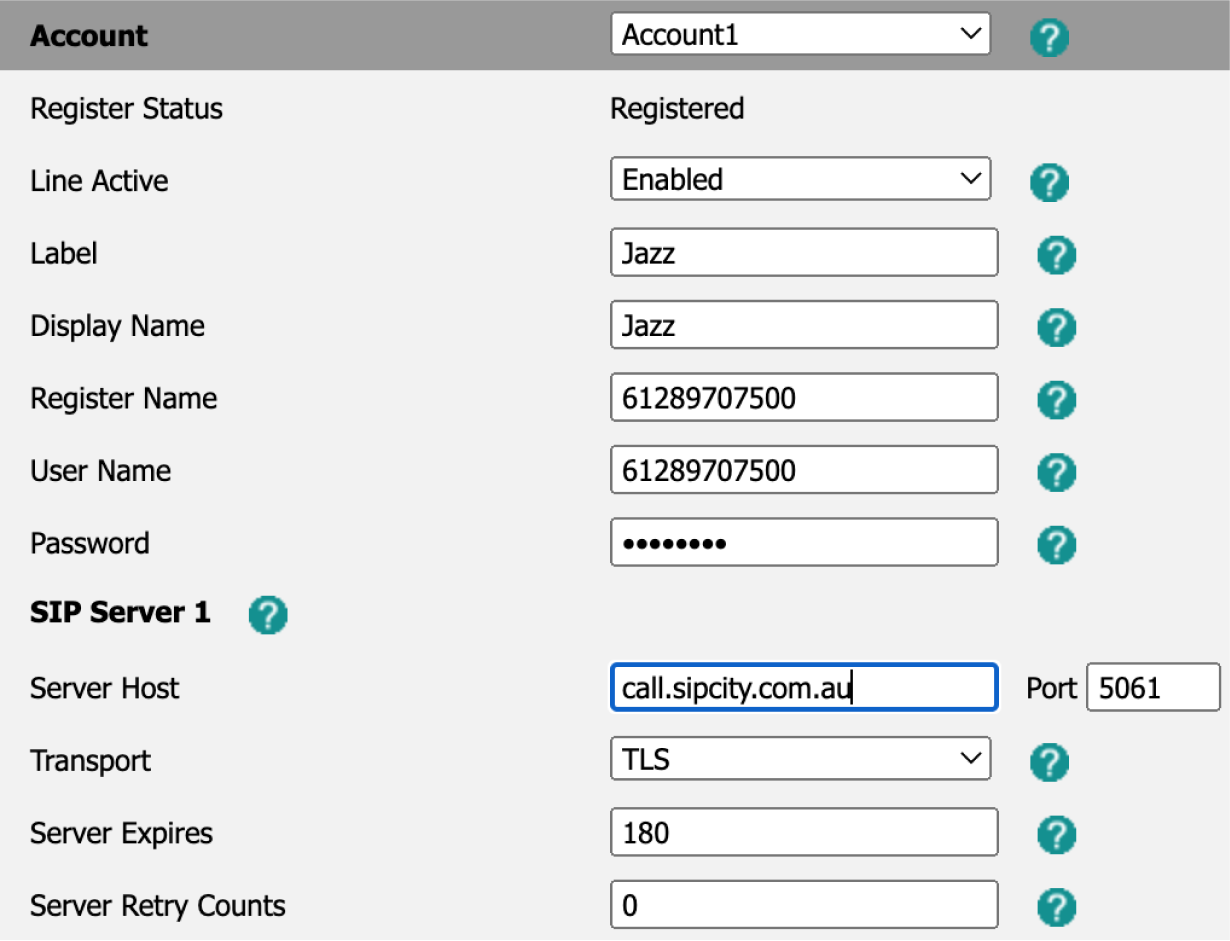
SIPcity supports most SIP-based VoIP devices, including Analog Telephone Adaptors (ATA), IP phones, IP PBX systems, and softphones. Use the following settings to register your device:
SIP Server Name / Proxy Server: call.sipcity.com.au
User name / Account ID / Authenticate ID: Your SIPcity phone number (61xxxxxxxxxxx)
Password: As set by you
Transport: TLS port 5061
Register with proxy: Yes
Make calls without registration: No
Codecs: G711a/u, G722, GSM, and G729