
Extension Dialling

Dial colleagues on your account using short extension numbers.

Extension dialling lets you internally transfer calls to numbers within your account using short 3-digit codes. Callers can dial an extension to reach a specific number without talking to a receptionist.
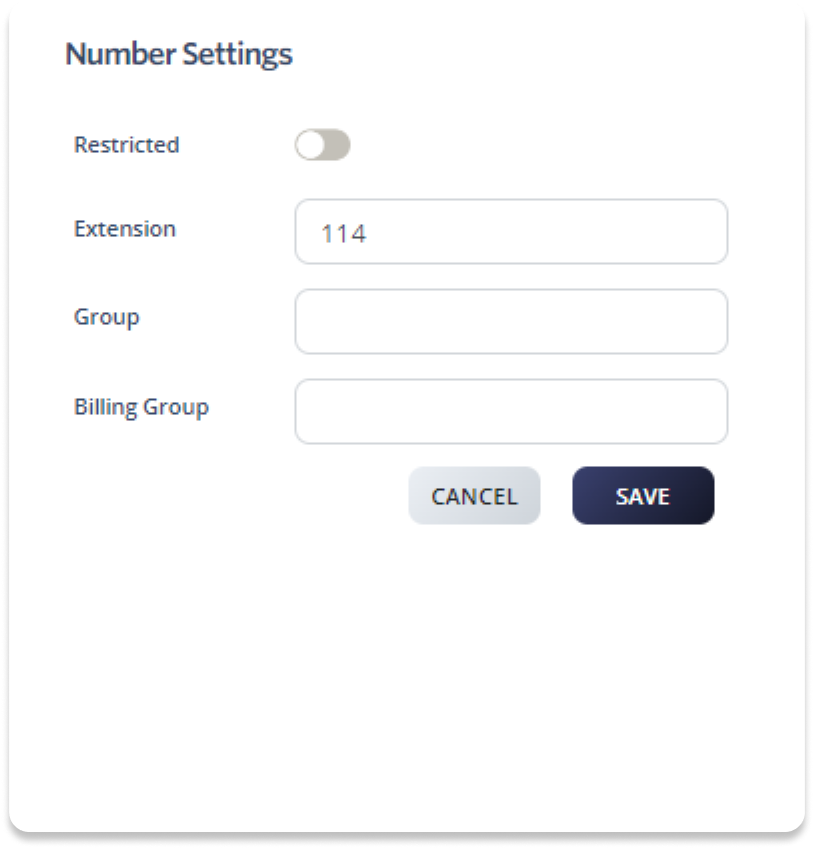
Set up an extension

  1. Log in to your account.
  2. Go to Switchboard.
  3. Select the number you want to assign an extension to.
  4. Go to Profile > Number Settings.
  5. Enter a 3-digit extension number in the Extension field.
  6. Click Save to update.

Enable extension dialling in Auto Attendant

If your main number has an Auto Attendant, you can enable extension dialling so callers can dial an extension to reach the corresponding number directly.

  1. Log in to your account.
  2. Go to Switchboard.
  3. Select Inbound > Auto Attendant.
  4. Enable Extension Dialling by toggling the switch On.
  5. Click Save to update.

Was this article helpful?

Let us know so we can keep improving our guides.

Thank you for your feedback!

This form is only for article feedback. If you require assistance, please contact Support. How can we improve this page?

Related Articles

Still need help?

Our support team can help you get connected.






