








Extension dialling lets you internally transfer calls to numbers within your account using short 3-digit codes. Callers can dial an extension to reach a specific number without talking to a receptionist.
Set up an extension
- Log in to your account.
- Go to Switchboard.
- Select the number you want to assign an extension to.
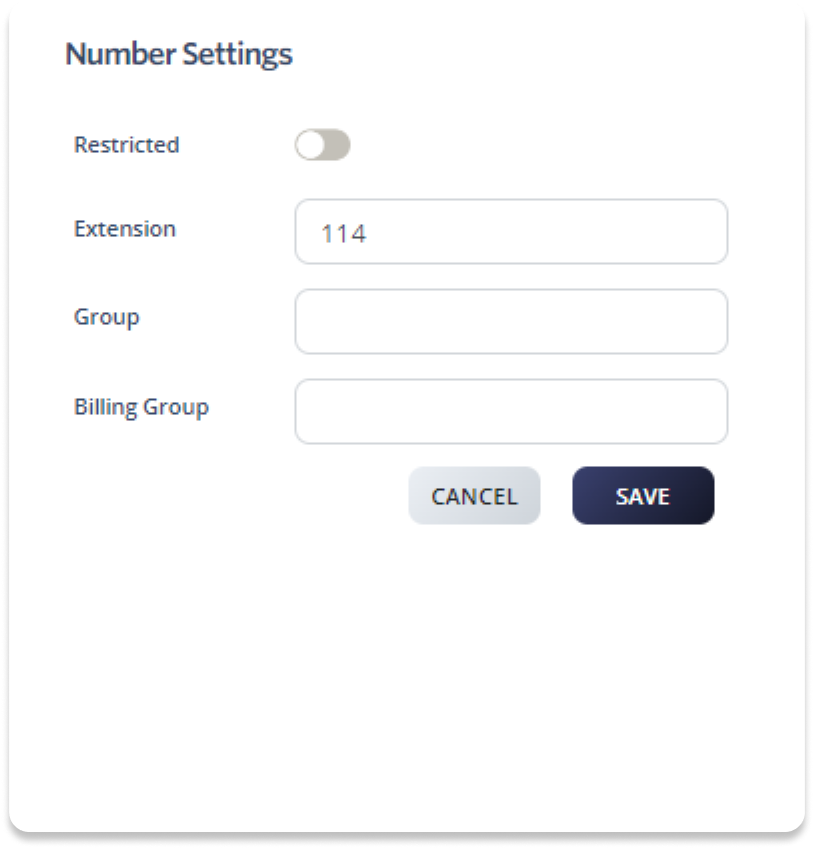
- Go to Profile > Number Settings.
- Enter a 3-digit extension number in the Extension field.
- Click Save to update.
Enable extension dialling in Auto Attendant
If your main number has an Auto Attendant, you can enable extension dialling so callers can dial an extension to reach the corresponding number directly.
- Log in to your account.
- Go to Switchboard.
- Select Inbound > Auto Attendant.
- Enable Extension Dialling by toggling the switch On.
- Click Save to update.