








Conferencing
This feature enables multiple participants to join a single call session with advanced access controls. Furthermore, the conference bridge functionality supports secure multi-party audio communications with administrative oversight. Because businesses need reliable meeting solutions, you can also add recording capabilities for professional meetings.
How to Navigate
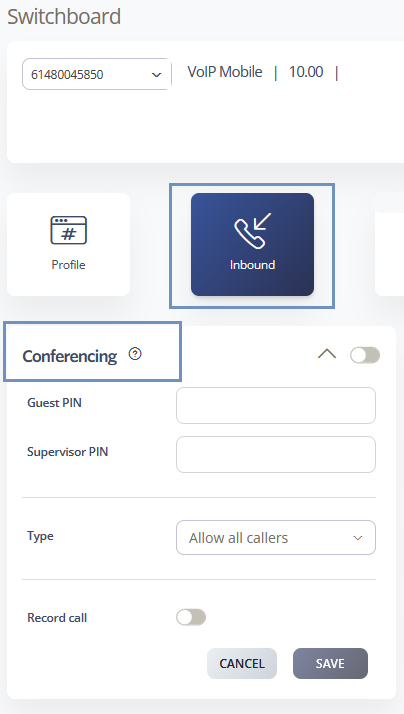
First, log in to the SIPcity portal. Then, navigate to SwitchBoard | Inbound | Conferencing section.
How to Configure
- Toggle the Conferencing feature ON/OFF using the main switch
- Configure Saved PIN for secure conference access
- Set Supervisor PIN for administrative control
- Define conference Type – All OR selected Callers
- Record call – Yes/No
- Save configuration changes
Call Flow Priority – #1
Conferencing operates at the highest priority level in our CloudPBX system. Therefore, the system routes eligible calls directly to conference rooms before processing any other features.
Conference → Rejection Strategy → Auto Attendant → Call Queuing