



AI Voice Agent
Never miss another call.
Learn more


AI Voice Agent
Never miss another call.
Connect the Cisco SPA to the SIPcity service using the steps below.
Note – Cisco does not support encryption for remote device configuration.
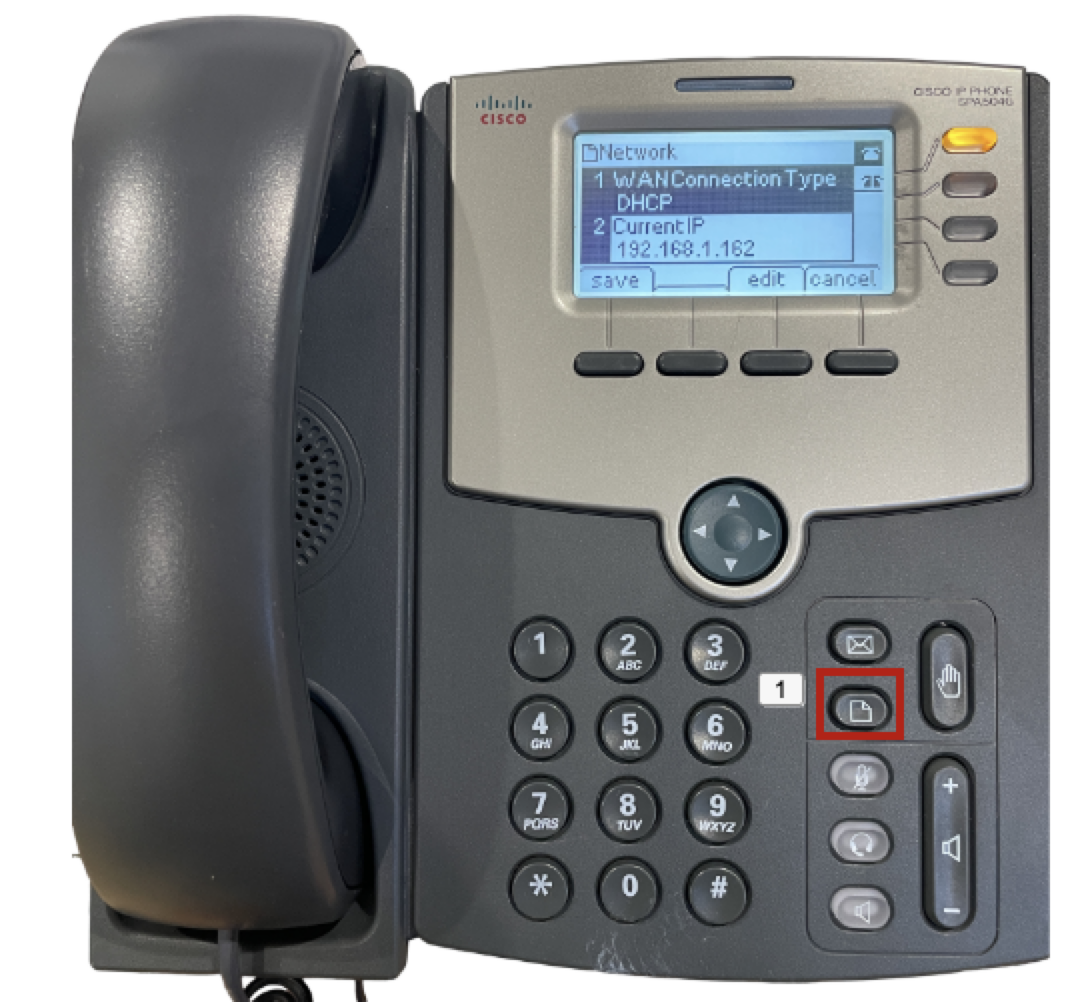
Configure the Cisco SPA using the Extension tabs. Complete the following settings:
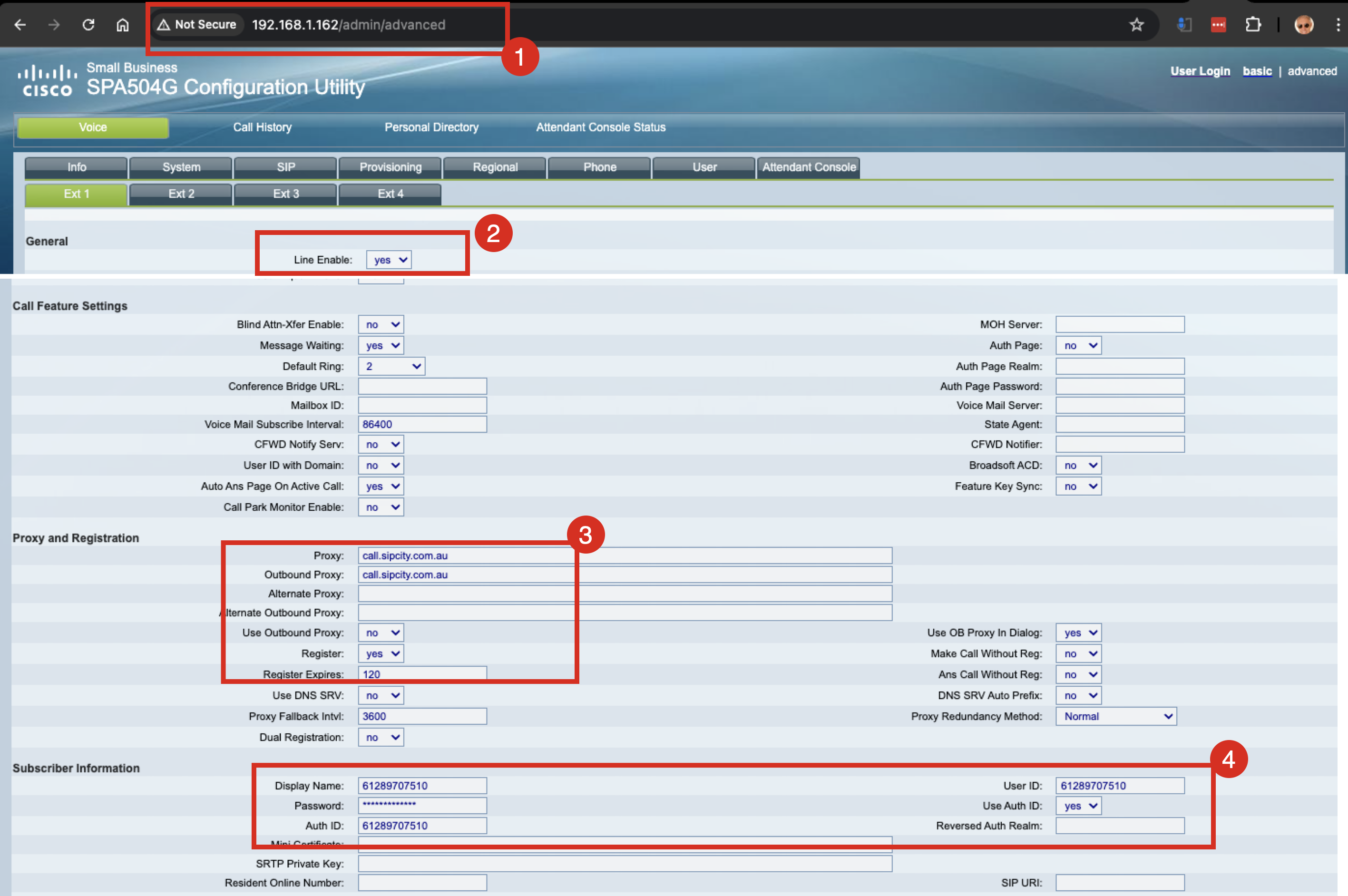
If you are not registering additional lines on the Cisco SPA, disable the remaining extensions:








