



AI Voice Agent
Never miss another call.
Learn more


AI Voice Agent
Never miss another call.
The SIPcity app defaults to English but supports four languages. You can change the app language in your settings.
Tap Settings > Language.
Choose one: English, English (UK), Español, or Português (Brasil).
Tap your choice to select it.
Tap Done.
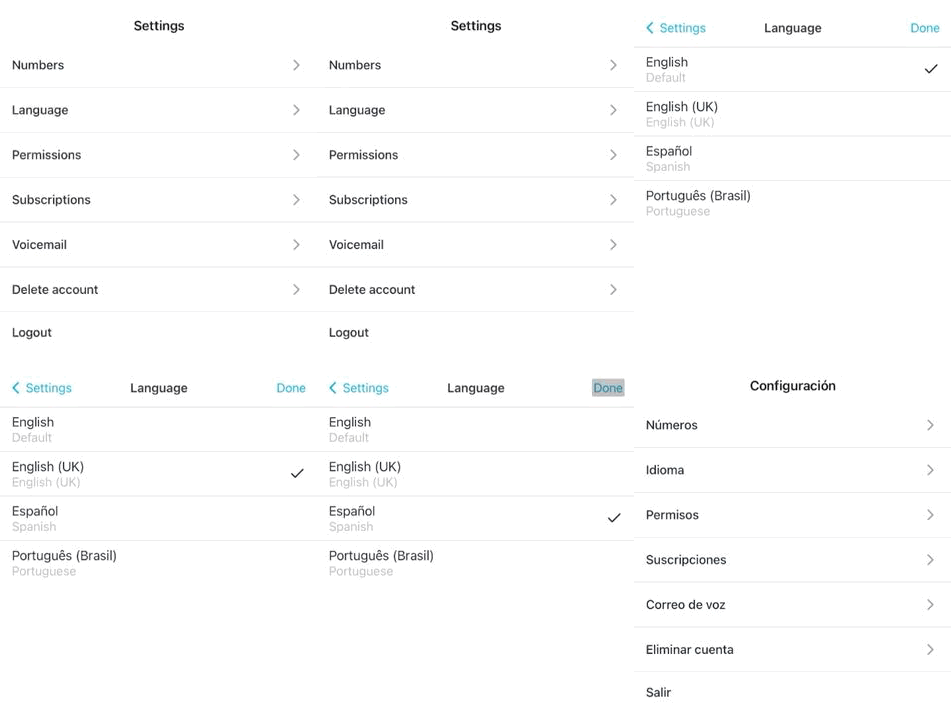
The app now displays in your chosen language.








