








The SIPcity app defaults to English but supports four languages. You can change the app language in your settings.
-
Tap Settings > Language.
-
Choose one: English, English (UK), Español, or Português (Brasil).
-
Tap your choice to select it.
-
Tap Done.
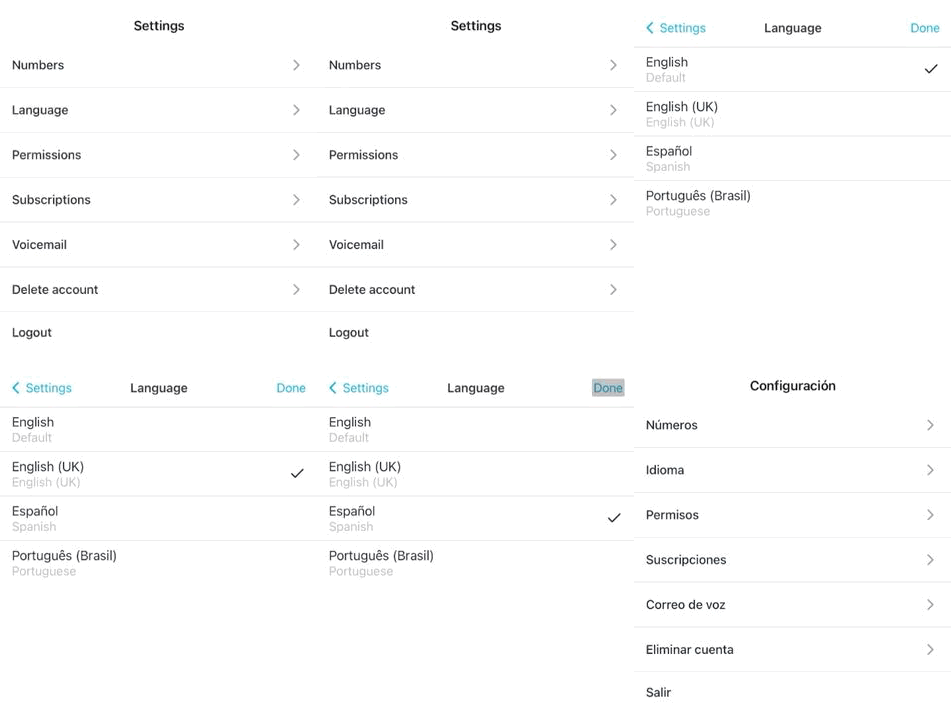
The app now displays in your chosen language.