



AI Voice Agent
Never miss another call.
Learn more


AI Voice Agent
Never miss another call.
The Calls (CDR) page displays call detail records for every number on your account. You can access it by selecting Calls (CDR) from the navigation menu on the left-hand side of the screen.
All times shown on this page use UTC-05:00.
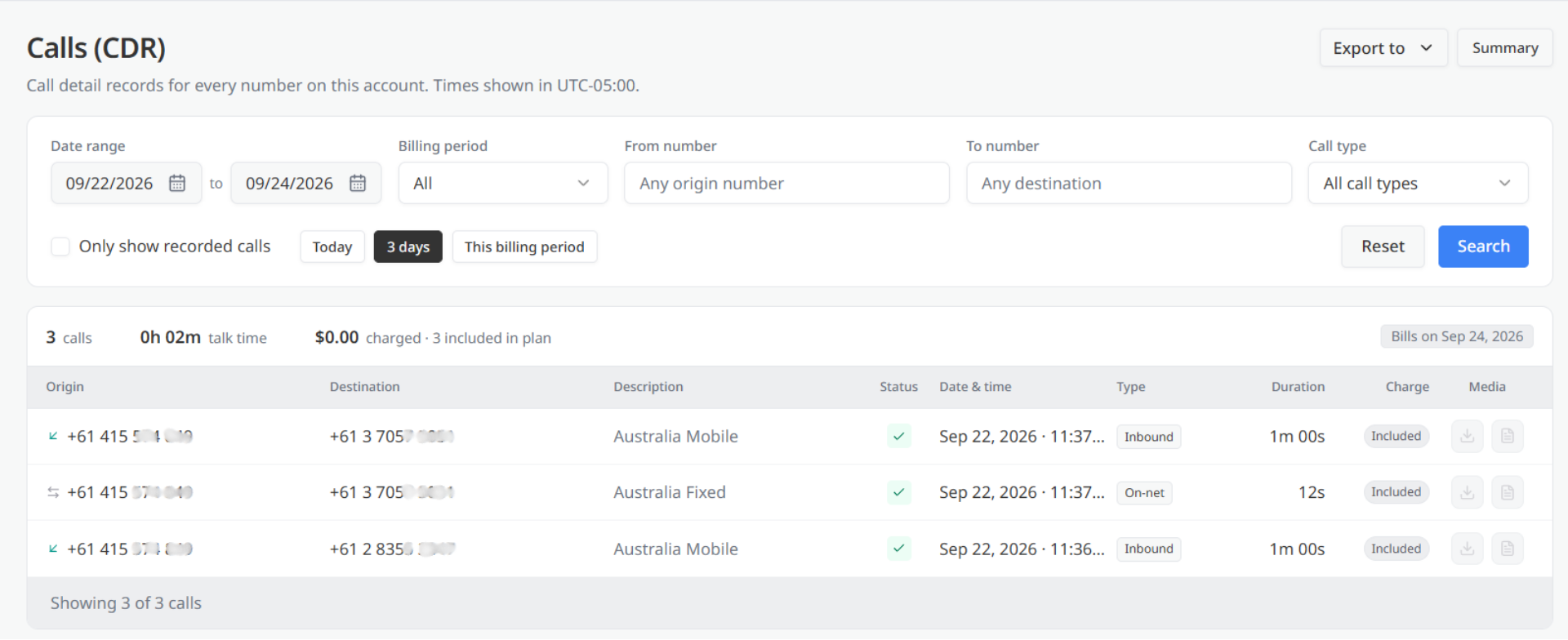
The Export to and Summary buttons are available in the upper-right corner of the page.
Use the filter panel below the page title to narrow down the calls you want to review.
The available filters are:
You can also use the following shortcuts to apply a preset date range:
After selecting your filters:
A summary bar above the results displays totals for the calls included in your current selection.
It includes:
A note on the right side of the summary confirms the date when these calls will be billed.
The results table displays the call records that match your selected filters. Each row represents one call.
The table includes the following information:
If no calls match your selected filters, the page displays No records found.
Use the pagination controls at the bottom of the table to move between pages of results.








