



AI Voice Agent
Never miss another call.
Learn more


AI Voice Agent
Never miss another call.
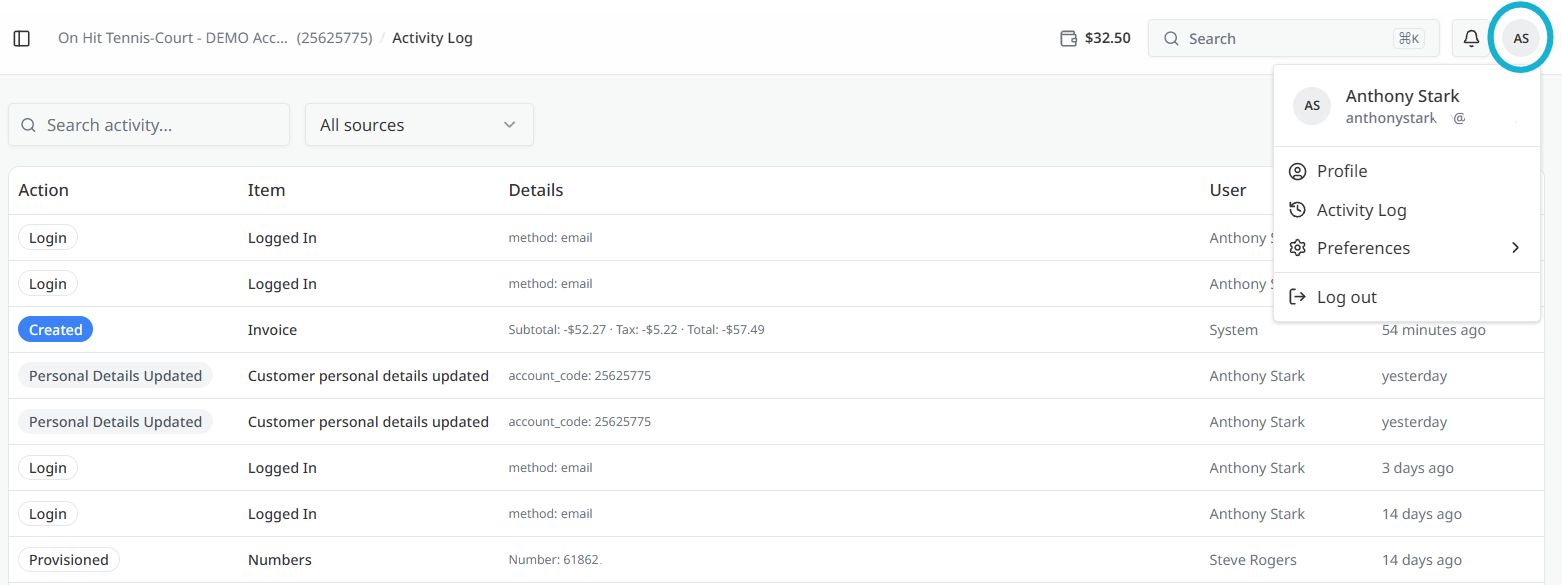
The Activity Log provides a central place to review recent changes made to your account. Actions that modify your account, such as adding a number, updating a device, changing a setting, or placing an order, are recorded so you can see what changed, who made the change, and when it occurred.
To open the page, select Activity Log from the left-hand navigation menu.
The main section displays recent activity in reverse chronological order, with the most recent entry at the top.
Each entry includes:
The Activity Log can help you:
If you notice an unexpected change, review the User information and contact support if further assistance is needed.
Use the pagination controls at the bottom of the list to move between pages of activity.
The search field allows you to filter activity entries by keyword.








