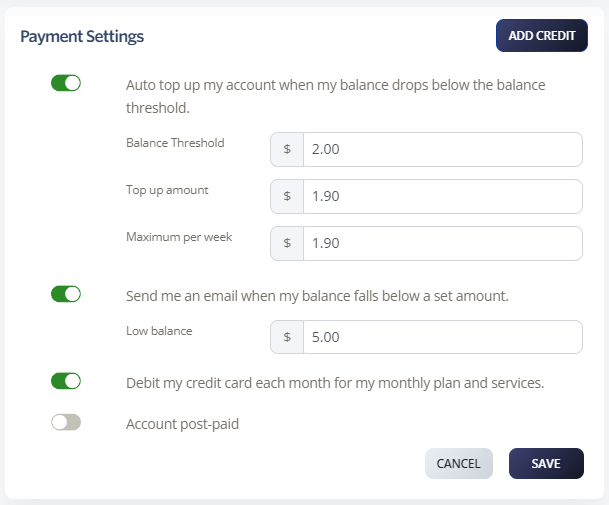
On a pay-as-you-go calling plan, each call you make and each service you purchase is deducted from your account balance. Once you reach your specified threshold, your account can be automatically topped up with a payment from your saved credit card. If you do not have automatic top-up enabled, you risk losing the ability to make outbound calls, including calls forwarded to mobile numbers. We recommend setting automatic top-up to ON.
On a pre-paid calling bundle, this may not include international calls or calls to 13/1300 numbers, so you will need account credit to make these calls. Setting automatic top-up ensures your credit is replenished if you exceed your bundle allowance.
Enable Automatic Top-Up
-
Select Billing
-
Select Manage Billing
-
Toggle to enable Auto top up my account when my balance drops below the balance threshold
-
Define the Balance Threshold, Top-up amount, and Maximum per week
-
Click Save