
SIPcity Web Portal: Numbers

Use the SIPCity Numbers page to view assigned phone numbers, check registration status, search numbers, and manage individual number settings.

The Numbers page allows you to view and manage the phone numbers assigned to your SIPCity account. You can access it by selecting Numbers from the navigation menu on the left-hand side of the screen.
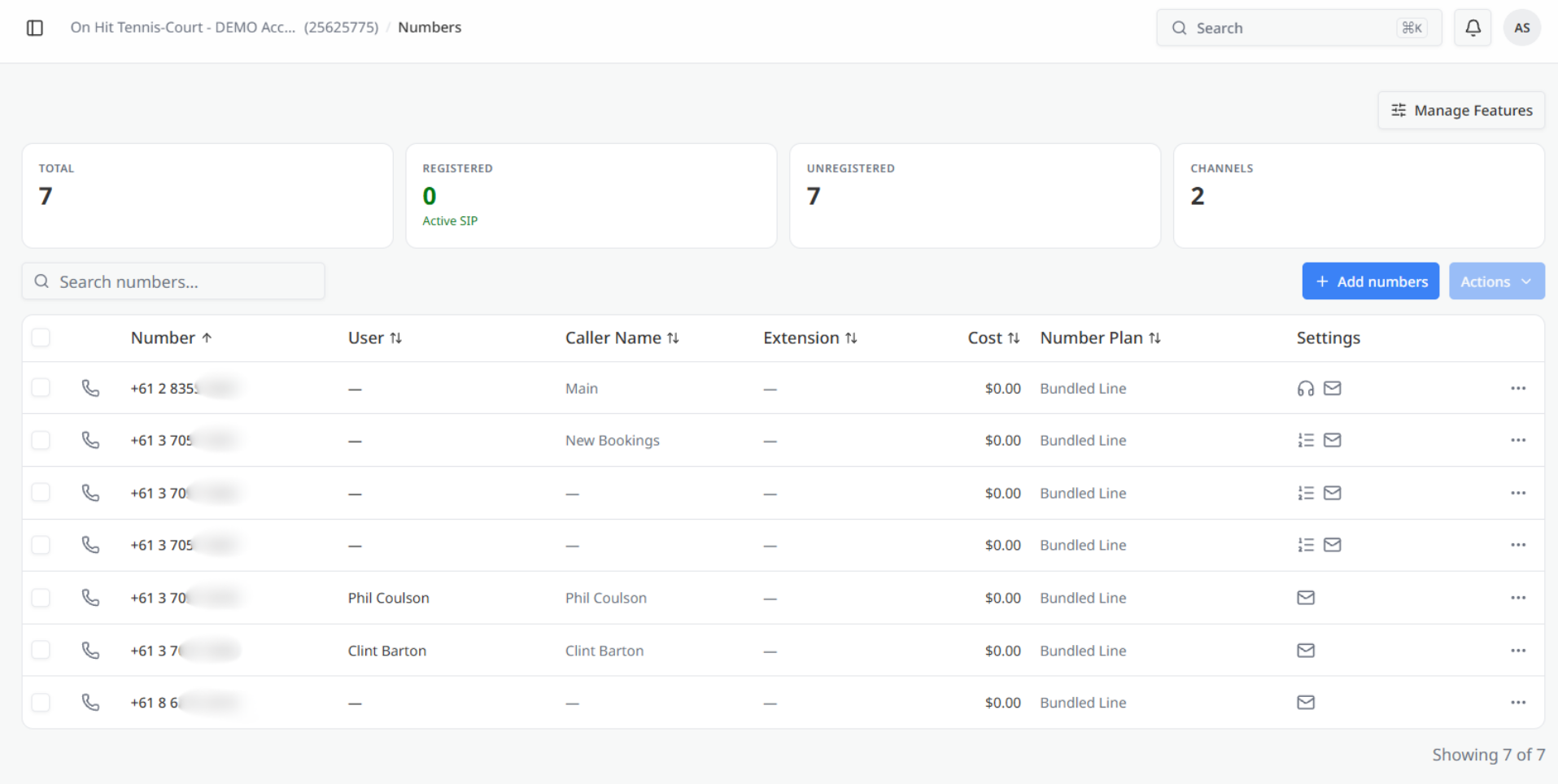
The Manage Features button in the upper-right corner provides access to number-related features across your account.

Summary cards

Four summary cards provide an overview of your phone numbers:

  • Total — Displays the total number of phone numbers assigned to your account.
  • Registered — Displays the number of numbers that are currently registered and active. The Active SIP indicator confirms that registration is functioning.
  • Unregistered — Displays the number of numbers that have not yet been registered.
  • Channels — Displays the number of channels currently in use on your account.

Search and actions

Use the search field to find a specific phone number by entering all or part of the number.

The following actions are available to the right of the search field:

  • Add numbers — Allows you to add new numbers to your account.
  • Actions — Provides additional bulk actions that can be applied to selected numbers.

Numbers list

The main section of the page displays a table containing the phone numbers assigned to your account.

Each row represents one number and includes:

  • Number — Displays the phone number. Select the column heading to sort the list.
  • User — Displays the user assigned to the number, if applicable.
  • Caller Name — Displays the name presented to recipients when a call is made from the number.
  • Extension — Displays the extension assigned to the number, if applicable.
  • Cost — Displays the cost associated with the number.
  • Number Plan — Displays the plan under which the number is provided.
  • Settings — Provides access to configuration options for the number. Depending on how the number is configured, you may see icons for call handling, messaging, or other features. Select the three-dot menu for additional actions.

A counter at the bottom of the table shows how many numbers are currently displayed out of the total number on your account.
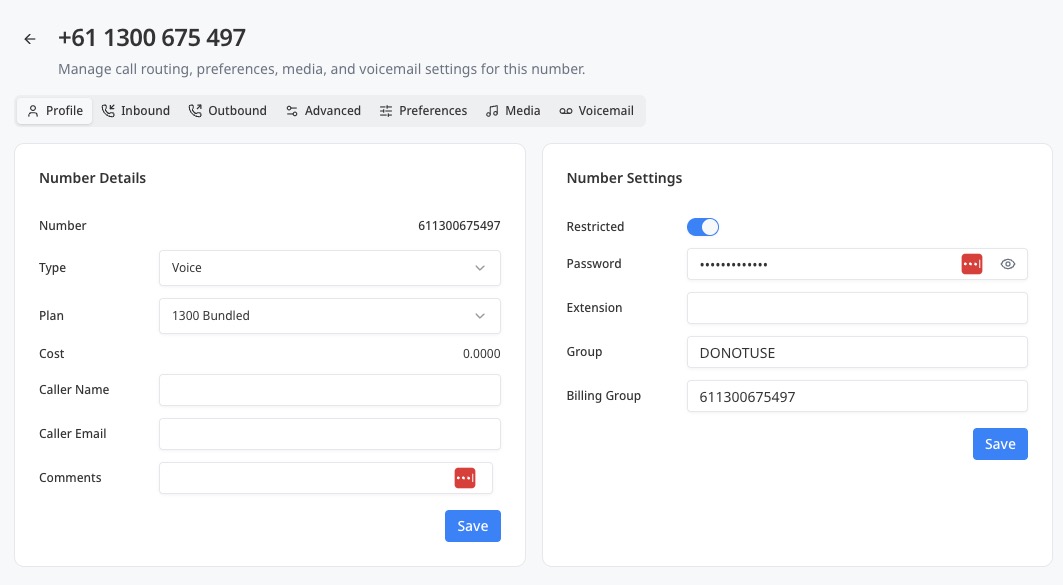
Number configuration tabs

Number settings profile tab

The number settings page includes the following tabs:

  • Profile
  • Inbound
  • Outbound
  • Advanced
  • Preferences
  • Media
  • Voicemail

The Profile tab is open by default.

The remaining tabs provide access to additional number configuration options. Detailed instructions for these tabs should be provided in the relevant SIPCity Help Centre articles when available.

Was this article helpful?

Let us know so we can keep improving our guides.

Thank you for your feedback!

This form is only for article feedback. If you require assistance, please contact Support. How can we improve this page?

Related Articles

Still need help?

Our support team can help you get connected.






