








Purpose
Time Schedules define when phone system features are active by establishing working hours and availability windows. Configuring separate Work Hours, Available Hours, and User-Defined Hours enables precise routing, auto-attendant timing, and predictable service behavior across the week.
How to Navigate
Log in to the SIPcity portal. Then, go to:
SwitchBoard | Preferences | Time Schedules section.
How to Configure
Work Hours Configuration
Configure standard business hours for Monday through Friday:
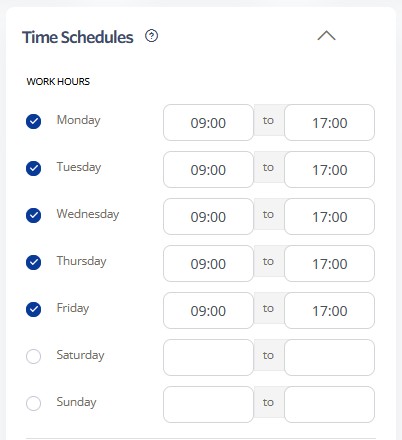
- Monday: 09:00 to 17:00
- Tuesday: 09:00 to 17:00
- Wednesday: 09:00 to 17:00
- Thursday: 09:00 to 17:00
- Friday: 09:00 to 17:00
- Leave Saturday and Sunday unchecked for weekends off
- Adjust start and end times as needed for your business hours
Available Hours Configuration
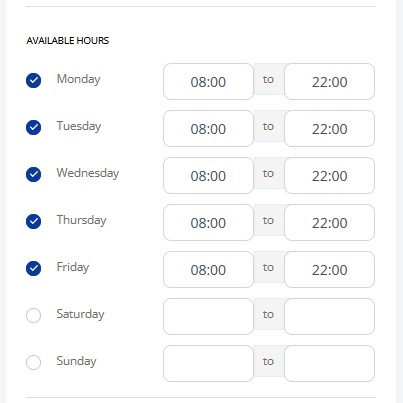
Set extended availability hours for Monday through Friday:
- Monday: 08:00 to 22:00
- Tuesday: 08:00 to 22:00
- Wednesday: 08:00 to 22:00
- Thursday: 08:00 to 22:00
- Friday: 08:00 to 22:00
- Configure weekend availability as needed
- Use these hours to define when basic services remain available
User-Defined Hours
Create custom schedules for special requirements
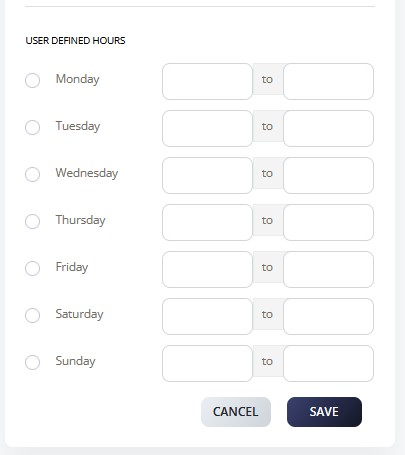
- Set unique time periods for Monday through Sunday
- Choose specific start and end times for each day
- Use for holiday schedules, special events, or departmental hours
- Click SAVE to store all schedule configurations
- Test time-based features to verify schedules are working correctly