








Purpose
Call Waiting notifies users of incoming calls while they are already on an active call session. Furthermore, this multi-call management system allows users to put the current call on hold and answer new incoming calls. Because seamless communication is essential, the system provides audio notifications and switching capabilities.
How to Navigate
First, log into the SIPcity portal. Then, navigate to SwitchBoard | Inbound | Call Waiting section.
How to Configure
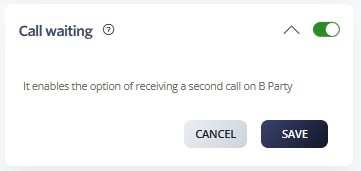
- Enable Call Waiting toggle
- Configure call waiting tone and notification settings
- Set up caller notification preferences
- Define call waiting timeout periods
- Configure hold music or tones
- Set the maximum number of waiting calls
- Test functionality and save settings
Call Flow Priority – #10
Call Waiting operates at priority level 10. As a result, it manages multiple calls while maintaining active conversations.
Conference → Rejection Strategy → Auto Attendant → Call Que → Sim Ring → Do Not Disturb → Preserve CLI → Call Screening → Hunt Groups → Call Waiting
Learn more about Call Flow Priority →