








Purpose
Do Not Disturb temporarily blocks incoming calls from ringing through to the user’s device during designated periods. Furthermore, this advanced scheduling system automatically forwards calls to voicemail or alternate destinations during DND periods. Because some calls are critical, the system also maintains exception lists for important contacts.
How to Navigate
Begin by logging into the SIPcity portal. Subsequently, access the SwitchBoard | Inbound | Do Not Disturb section.
How to Configure
- Toggle Do Not Disturb ON/OFF
- Select Active status and scheduling options
- Configure call routing during DND (voicemail, alternate number)
- Set up time-based DND schedules
- Configure exception lists for important callers
- Save settings and test functionality
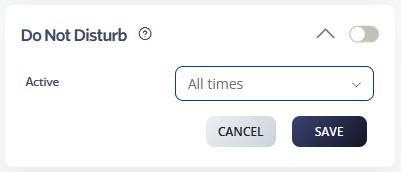
Active Schedule – Defines the timeframe during which the call queue is active. Options include All Times, During Work Hours, Outside Work Hours, During Available Hours, Outside Available Hours, During User-Defined Hours, and Outside User-Defined Hours. For additional details, please refer to the Time Schedules Guide.
Dial Codes for DND and Caller ID Blocking
-
*78– Activate Do Not Disturb -
*79– Deactivate Do Not Disturb -
*30– Activate Caller ID Blocking -
*31– Deactivate Caller ID Blocking
Call Flow Priority – #6
Do Not Disturb functions at priority level 6. Consequently, it automatically redirects calls without ringing when you activate it.
Conference → Rejection Strategy → Auto Attendant → Call Que → Sim Ring → Do Not Disturb
Learn more about Call Flow Priority →